Appearance
Infolist Entries
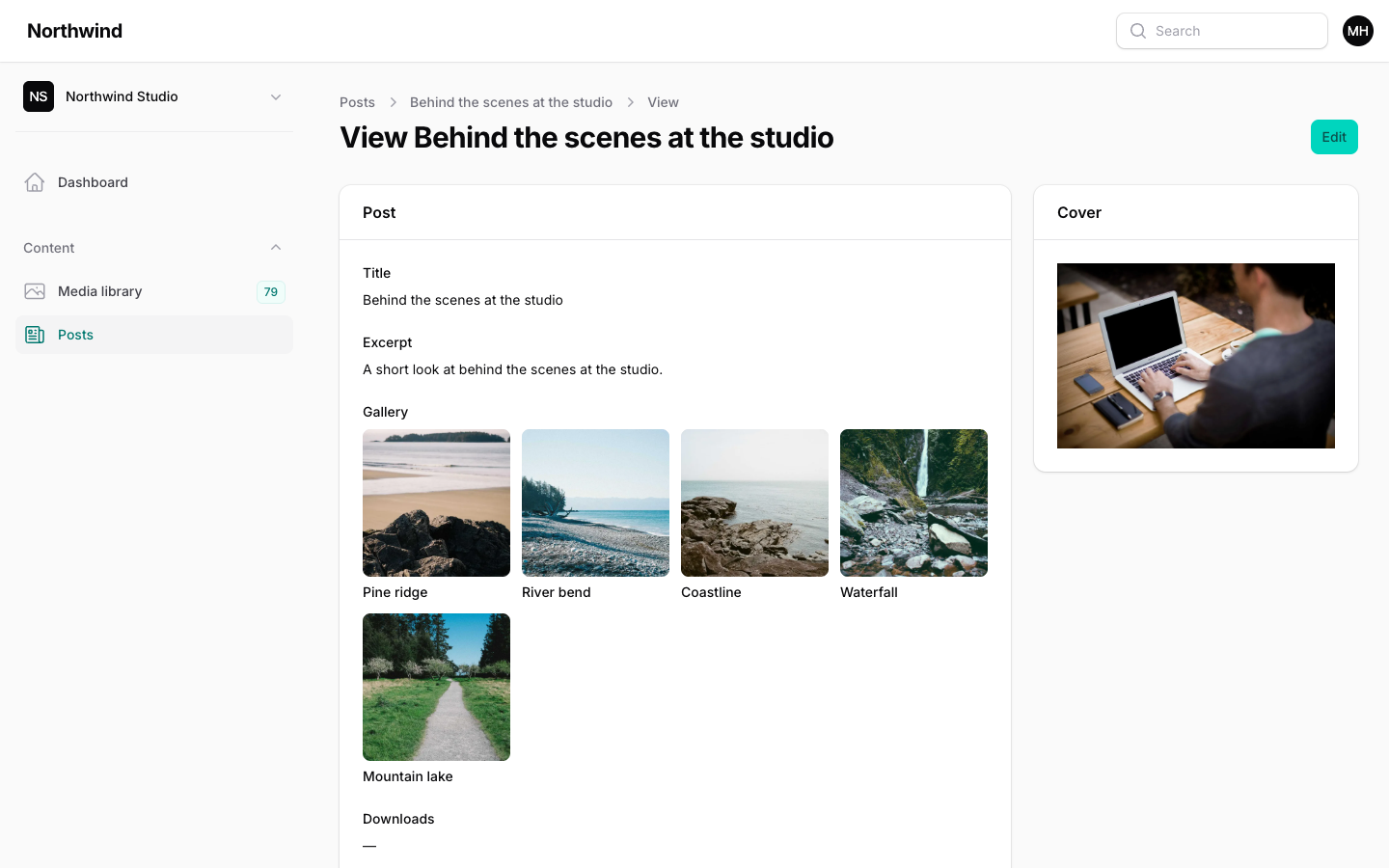
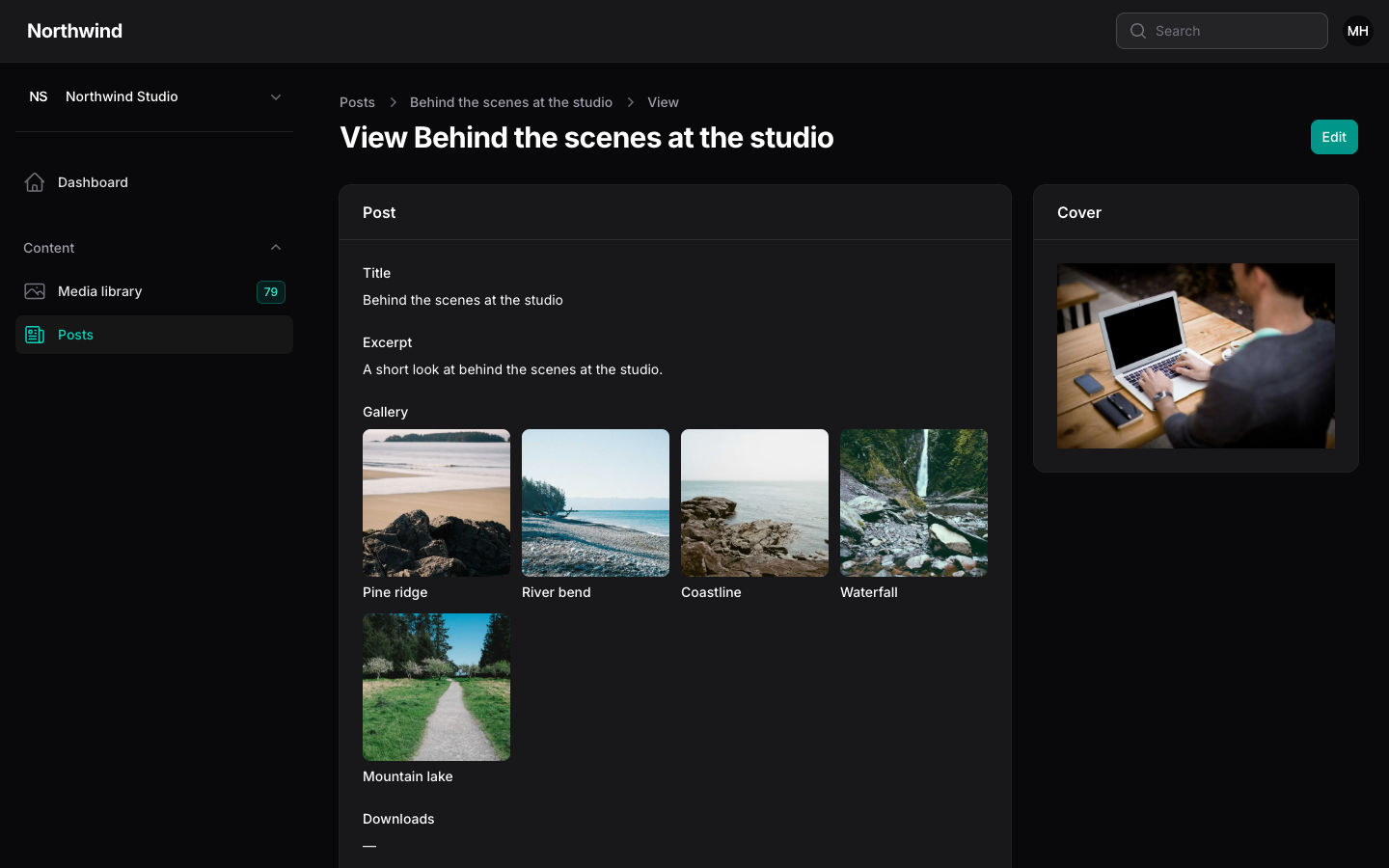
Three entries show library files on a Filament view page or in any infolist.
php
use Filament\Infolists\Components\TextEntry;
use Filament\Schemas\Schema;
use Hoceineel\FilamentMediaLibrary\Filament\Infolists\Components\MediaEntry;
use Hoceineel\FilamentMediaLibrary\Filament\Infolists\Components\MediaFileEntry;
use Hoceineel\FilamentMediaLibrary\Filament\Infolists\Components\MediaGalleryEntry;

public static function infolist(Schema $schema): Schema
{
    return $schema->components([
        TextEntry::make('title'),
        MediaEntry::make('cover_id')->conversion('preview'),
        MediaGalleryEntry::make('gallery')
            ->collection('gallery')
            ->gridColumns(4)
            ->aspectRatio('4:3')
            ->captions(),
        MediaFileEntry::make('downloads')->collection('downloads'),
    ]);
}
Where the files come from
Entries read files the same way the table columns do. Without collection(), the entry reads the attribute named in make(): one id, or an array or JSON list of ids. With collection(), it reads that attachment collection, and the model needs the HasMediaLibrary trait.
All three entries share these options:
| Method | Default | Purpose |
|---|---|---|
collection(string) | none | Read attachments from this collection instead of an attribute. |
conversion(string) | see below | Which image size to show. |
Missing files are skipped, and files in the trash or from another tenant are never shown.
MediaEntry
MediaEntry extends Filament's ImageEntry, so its image options work: square(), circular(), stacked(), limit(), height(), width() and the rest. It defaults to the preview conversion, which is larger than the table default.
php
MediaEntry::make('cover_id')->height(240);
MediaEntry::make('gallery')->collection('gallery')->stacked()->limit(4);
MediaGalleryEntry
MediaGalleryEntry shows a responsive grid of thumbnails. Clicking one opens a full screen lightbox.
php
MediaGalleryEntry::make('gallery')
    ->collection('gallery')
    ->gridColumns(3)
    ->aspectRatio('16:9')
->captions(false);| Method | Default | Purpose |
|---|---|---|
gridColumns(int) | 4 | Number of columns. The minimum is 1. |
aspectRatio(string) | 1:1 | Ratio of each tile. Accepts 4:3, 4/3 or 1. Pass null for no fixed ratio. |
captions(bool) | on | Show a caption under each tile. It uses the file's caption, or its name when the caption is empty. |
lightbox(bool) | on | Open files full screen on click. With it off, tiles are not clickable. |
conversion(string) | thumb | Image size used for the tiles. |
Tiles use the alt text and focal point of each file, so cropped tiles stay centred on the subject. Files that are not images show a type icon with their extension.
The lightbox shows images, plays video, and offers an Open original link for other files. Use the left and right arrow keys to move between files and Escape to close. The lightbox loads the preview conversion, not the tile size.
The gallery needs no JavaScript from you. The same grid is available outside Filament as a Blade component: see Models & Blade.
MediaFileEntry
MediaFileEntry lists files as rows: thumbnail or type icon, file name, and a line with type, size and dimensions.
php
MediaFileEntry::make('downloads')
    ->collection('downloads')
->downloadable();| Method | Default | Purpose |
|---|---|---|
downloadable(bool) | on | Show Open original and Download buttons on each row. Pass false for a read-only list. |
conversion(string) | thumb | Image size used for the row thumbnails. |
Files on a private disk, or files marked Only me, use short-lived signed links, so the buttons keep working for people who can see the record.
TIP
Hide an entry when there is nothing to show with Filament's own hidden() and visible() methods. An empty entry otherwise renders a dash.