Appearance
Table Columns
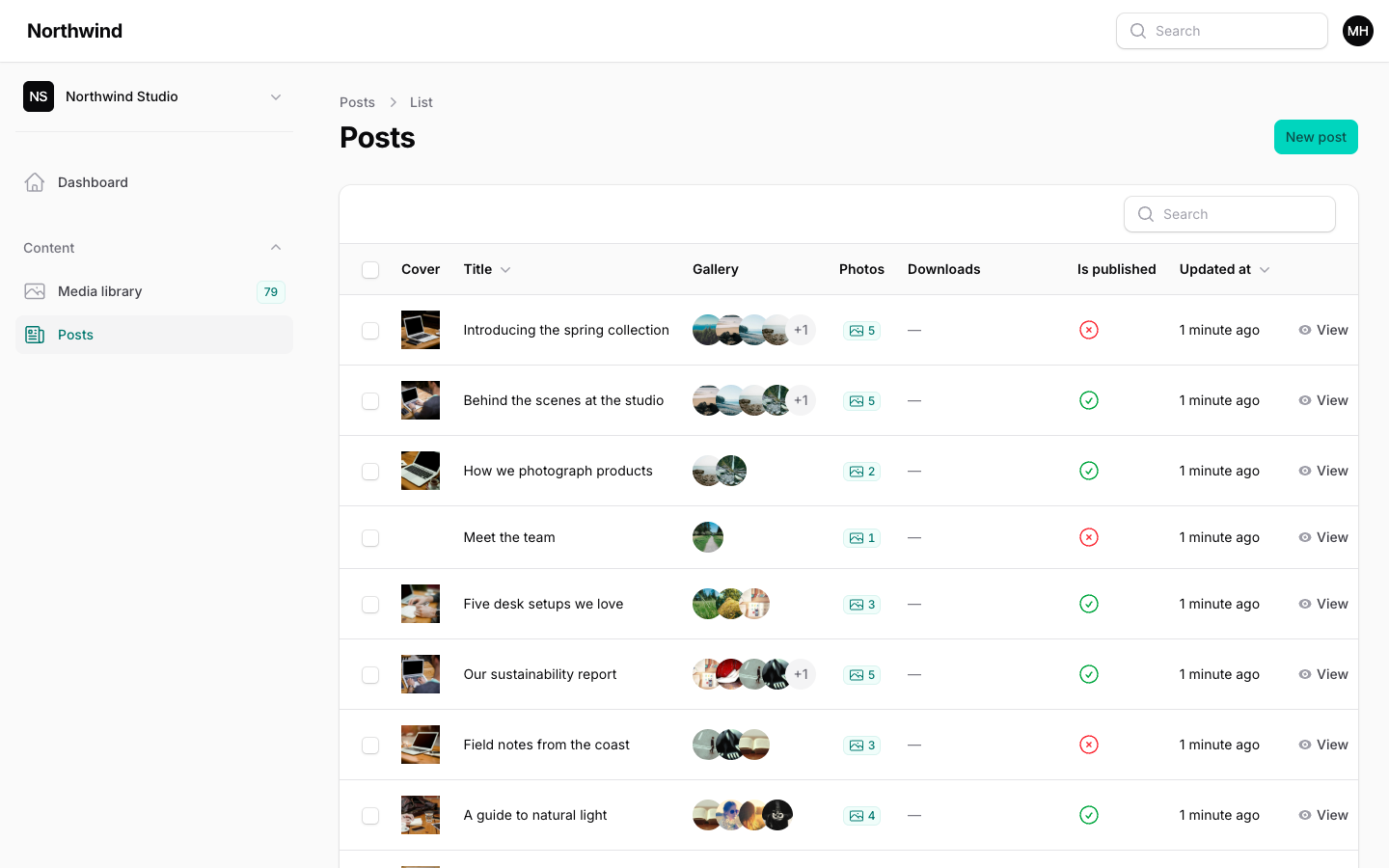
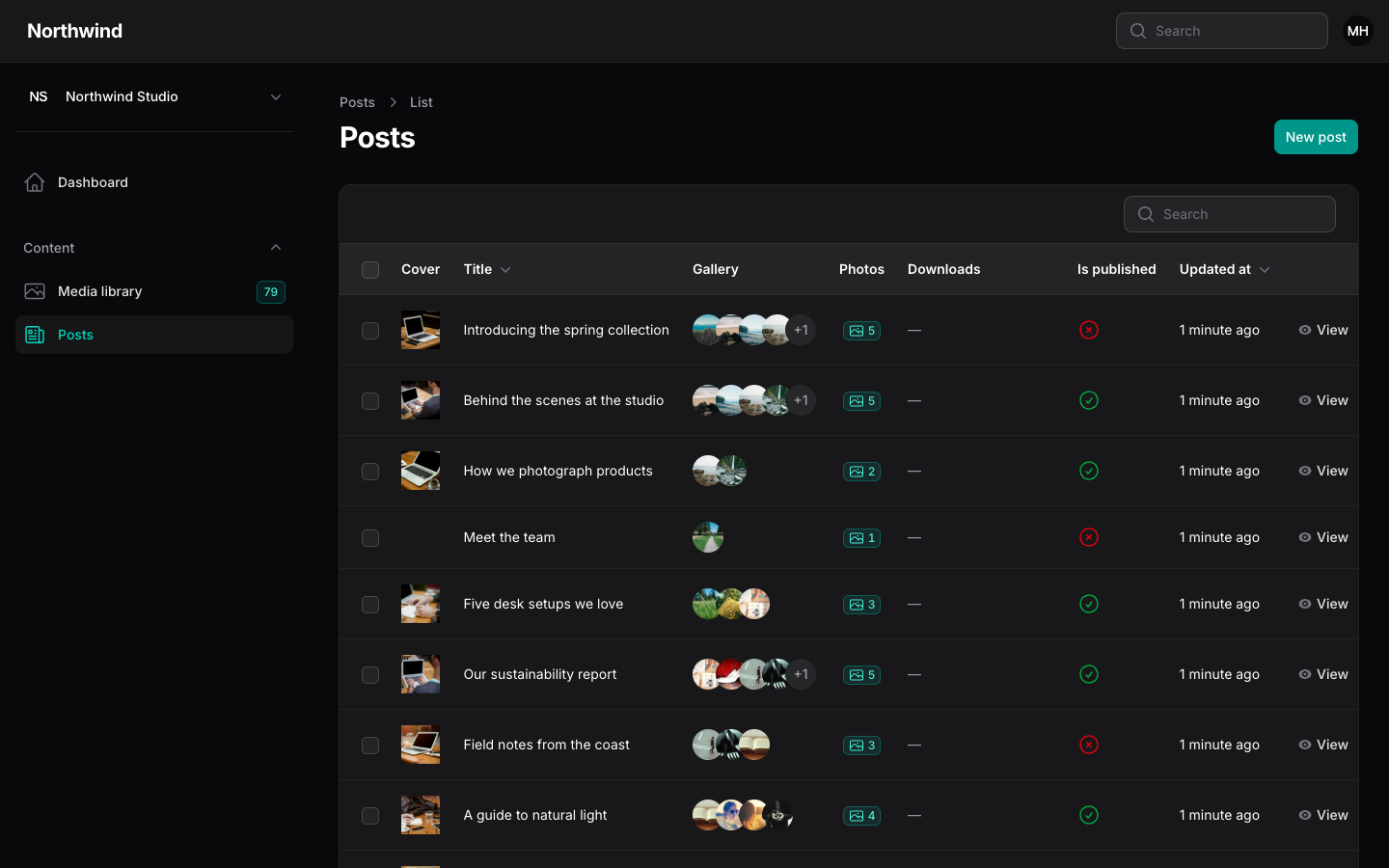
Three columns show library files in a Filament table. They work in resource tables, relation managers and table widgets.
php
use Hoceineel\FilamentMediaLibrary\Filament\Tables\Columns\MediaColumn;
use Hoceineel\FilamentMediaLibrary\Filament\Tables\Columns\MediaCountColumn;
use Hoceineel\FilamentMediaLibrary\Filament\Tables\Columns\MediaFileColumn;

public static function table(Table $table): Table
{
    return $table->columns([
        MediaColumn::make('cover_id')->square(),
        TextColumn::make('title'),
        MediaColumn::make('gallery')->collection('gallery')->stacked()->limit(3)->circular(),
        MediaCountColumn::make('photos')->collection('gallery'),
        MediaFileColumn::make('downloads')->collection('downloads')->downloadable()->visibleItems(1),
    ]);
}
Where the files come from
Every column reads files in one of two ways, matching how the picker field stored them.
| Call | Reads from |
|---|---|
MediaColumn::make('cover_id') | The cover_id attribute: one id, or an array or JSON list of ids. |
MediaColumn::make('gallery')->collection('gallery') | The gallery attachment collection. The model needs the HasMediaLibrary trait. |
With collection() on a model that does not use HasMediaLibrary, the column falls back to the attribute named in make().
Missing files are skipped. A row that points at a deleted id shows nothing instead of an error. Files in the trash and files from another tenant are never shown.
Two options are shared by all three columns:
| Method | Default | Purpose |
|---|---|---|
collection(string) | none | Read attachments from this collection instead of an attribute. |
conversion(string) | thumb | Which image size to show. For images, falls back to the original if the conversion does not exist. |
MediaColumn
MediaColumn extends Filament's ImageColumn, so every image column option works: square(), circular(), stacked(), limit(), limitedRemainingText(), height(), width(), ring() and the rest. It shows one image per file. Files that are not images and have no thumbnail are left out.
php
MediaColumn::make('cover_id')->square()->size(48);

MediaColumn::make('gallery')
    ->collection('gallery')
    ->stacked()
    ->limit(3)
    ->limitedRemainingText();
MediaCountColumn
MediaCountColumn extends TextColumn. It shows how many files are attached, as a centred numeric badge with a photo icon. The badge uses the primary colour for one or more files and gray for none.
php
MediaCountColumn::make('photos')->collection('gallery');Because it is a TextColumn, you can still change the colour, icon, label and other text options. The count is computed from the attachments, not read from a database column, so the column is not sortable or searchable.
MediaFileColumn
MediaFileColumn suits documents. Each file shows as a chip: a thumbnail for images or a type icon for other files, then the file name, and a line with type, size and dimensions. Extra files collapse into a "+2" badge.
php
MediaFileColumn::make('downloads')
    ->collection('downloads')
    ->visibleItems(2)
    ->showMeta(false)
->downloadable();| Method | Default | Purpose |
|---|---|---|
visibleItems(int) | 1 | How many chips to show before the "+n" badge. |
showMeta(bool) | on | Show the type, size and dimensions line. |
downloadable(bool) | off | Make each chip a link that opens the original file in a new tab. |
With downloadable(), clicking a chip opens the file and does not trigger the row action, so a row that links to its edit page still works. The chip is also reachable with the keyboard: focus it and press Enter. Private files use short-lived signed links.
Loading and N+1
You do not need to eager load anything. Before the first row renders, each column loads the files for the whole page in one query:
- In attribute mode, one query for every id on the page.
- In
collection()mode, one query for the attachments of every record on the page, with their media.
Several columns reading the same ids share the lookup.
Eager load yourself only when you read attachments elsewhere in the same table, for example in a TextColumn::state() closure that calls getMediaLibraryItems():
php
$table->modifyQueryUsing(fn (Builder $query) => $query->with('mediaLibraryItems.media'));Records you load this way are reused by the columns, so they do not query again.
TIP
Thumbnails come from the thumb conversion, which is generated when the file is uploaded. A table full of images stays fast because each cell only loads a small file. See Models & Blade for the conversion presets.