Appearance
Picker Field
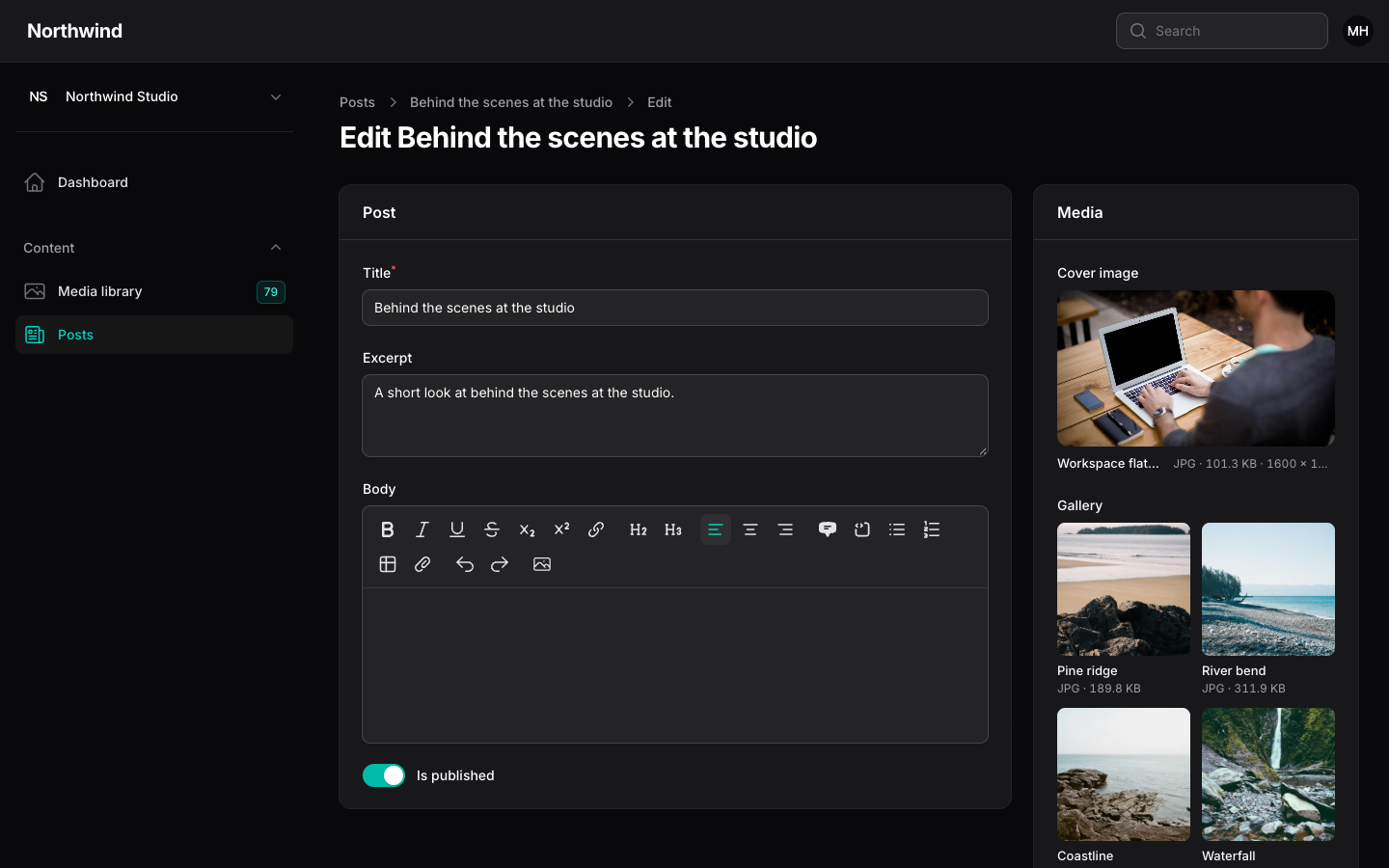
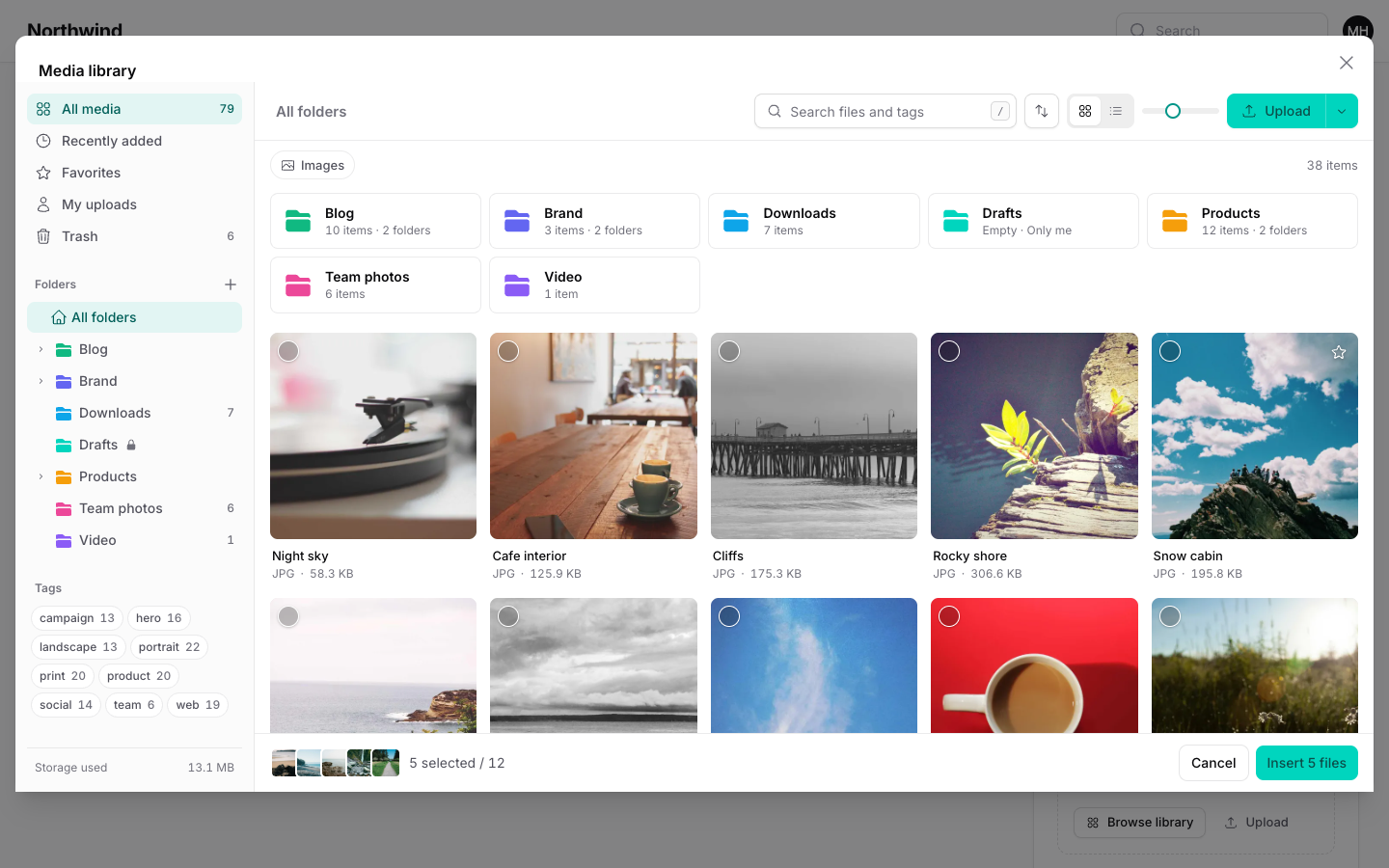
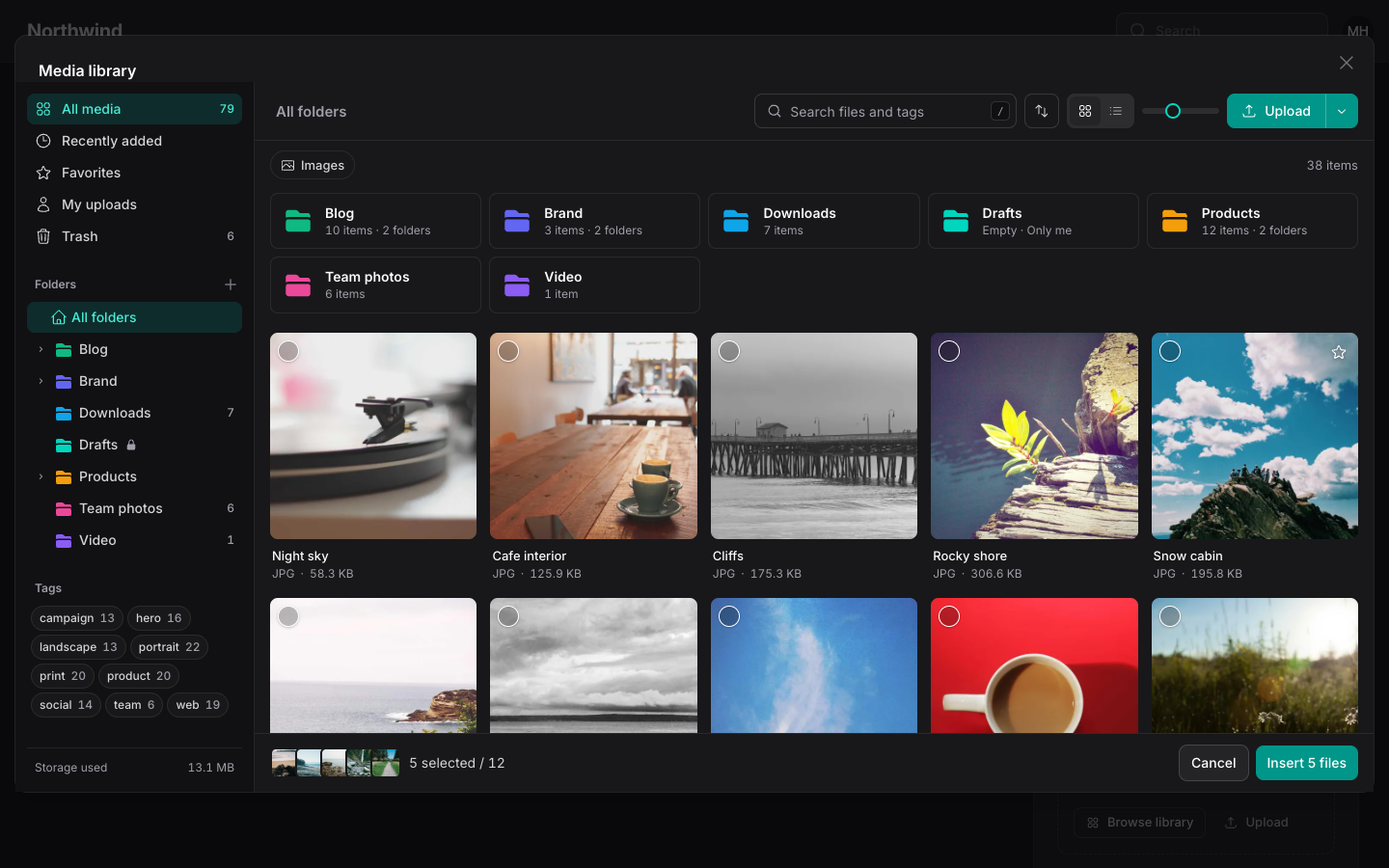
MediaPicker is a Filament form field that stores a selection from the library. It opens the full library in a modal, and people can also drop, paste or upload files straight into the field.
php
use Hoceineel\FilamentMediaLibrary\Filament\Forms\Components\MediaPicker;

MediaPicker::make('cover_id')
    ->image()
    ->aspectRatio('16:9');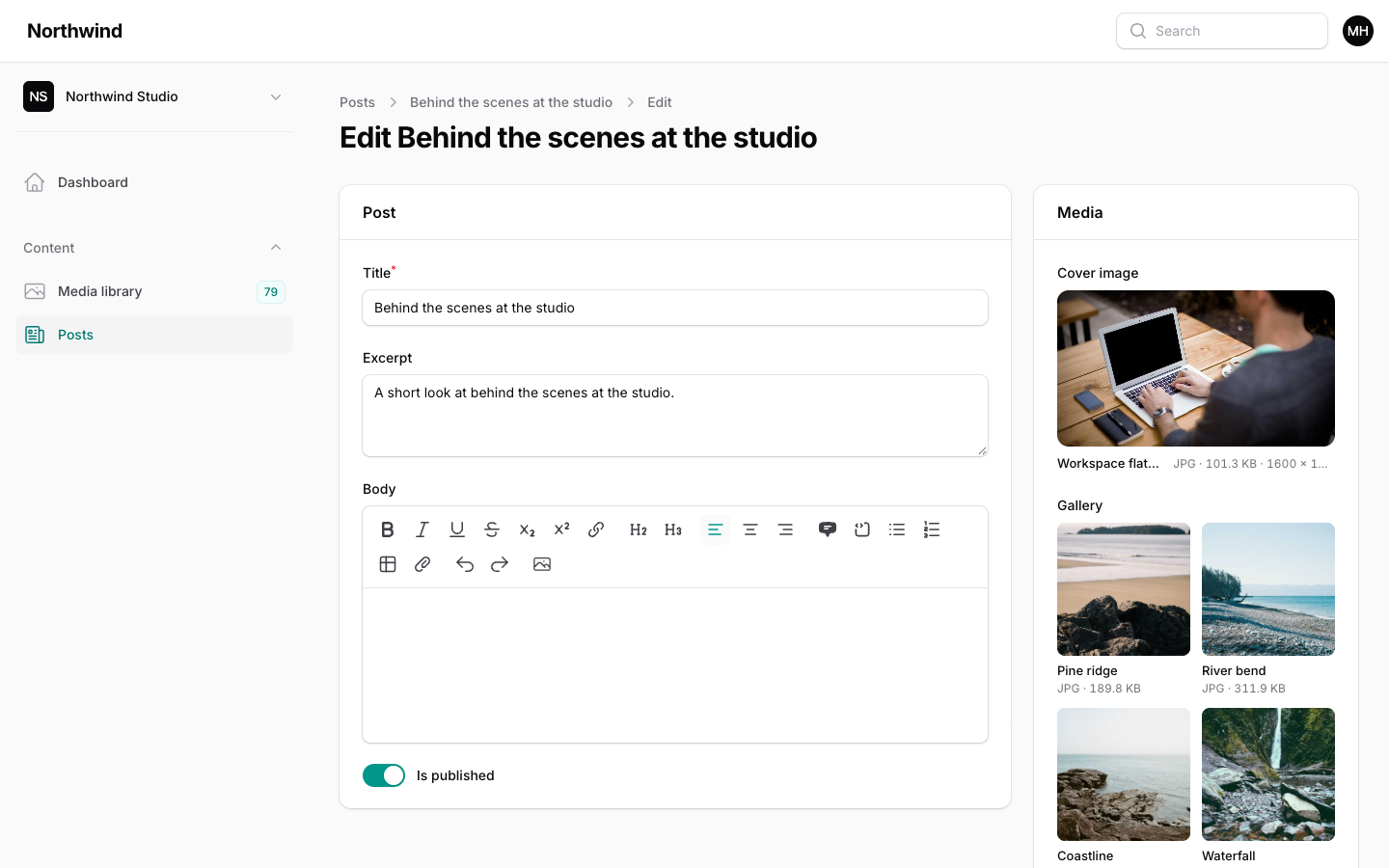
Single and multiple
By default the field holds one file. Call multiple() for a list, and limit it with minItems() and maxItems().
php
MediaPicker::make('cover_id')->image();

MediaPicker::make('gallery')
    ->multiple()
    ->image()
    ->minItems(1)
    ->maxItems(12)
->reorderable();- A single image shows as a large cover with Preview, Choose another, Upload and Remove actions.
- Multiple selections show as cards or rows. Drag them to reorder, unless you call
reorderable(false). Reordering only applies tomultiple()fields. minItems()andmaxItems()only apply tomultiple()fields. A single field always allows exactly one file.
Restrict file types
image() is a shortcut for acceptedFileTypes(['image/*']). Wildcards work.
php
MediaPicker::make('brochure')
    ->acceptedFileTypes(['application/pdf', 'application/zip']);
The type filter limits what the picker modal shows, what the field accepts when people upload, and what the server accepts when the form is saved.
Where the selection is stored
There are two storage modes.
Column mode is the default. The field stores one id, or a JSON array of ids for multiple(), in the attribute with the field's name. Cast array columns on the model:
php
protected function casts(): array
{
    return ['gallery_ids' => 'array'];
}
php
MediaPicker::make('cover_id')->image();
MediaPicker::make('gallery_ids')->multiple();
In column mode the field also records where each file is used, so the library shows "Used in" and protects the file from deletion. The usage is saved under a collection named after the field. Turn it off with trackUsage(false).
Relationship mode syncs the media_library_attachments table instead and keeps the order. The model needs the HasMediaLibrary trait (see Models & Blade).
php
MediaPicker::make('gallery')
    ->relationship()
    ->multiple()
    ->maxItems(12);

MediaPicker::make('downloads')
    ->relationship('downloads')
    ->multiple()
    ->acceptedFileTypes(['application/pdf']);
Without an argument, relationship() uses the field name as the collection. Pass a name, or call collection('downloads'), to use another one. In relationship mode the field does not write to a column, and usage is always tracked.
Read relationship selections with $post->getMediaLibraryItems('gallery'). Display columns and entries pick the same collection with collection(): see Table Columns and Infolist Entries.
Open in a folder
php
MediaPicker::make('downloads')
    ->folder('Downloads', lock: true);
folder() takes a folder id or the name of a root folder. A missing named folder is created when the user is allowed to create folders. New uploads from the field go into that folder.
With lock: true, the picker stays inside the folder.
WARNING
Locking is a convenience, not a permission boundary. Use policies to restrict access.
Layout and presentation
Images show as a grid of cards. Other files show as a list with type, size and dimensions. The field picks a grid when every accepted type starts with image/, and a list otherwise. Override it:
php
MediaPicker::make('gallery')->multiple()->list();
MediaPicker::make('logos')->multiple()->grid();
MediaPicker::make('files')->multiple()->layout(PickerLayout::List);
PickerLayout lives in Hoceineel\FilamentMediaLibrary\Enums. The layout applies to multiple() fields.
aspectRatio() frames a single selection at a fixed ratio. It accepts 16:9, 16/9 or 1.
conversion() sets which size the cards show. It defaults to thumb. When aspectRatio() is set, a single cover uses the preview conversion so the larger frame stays sharp.
Uploading inside the field
With uploadable() on (the default), people can:
- drop files onto the field,
- paste an image from the clipboard,
- press Upload to pick files from their device.
Files upload in chunks with live progress and are added to the field when they finish. Uploads respect the field's accepted types, the maximum file size and, for multiple() fields, the remaining capacity from maxItems(). A file that does not match is rejected in the browser with a message.
If the file already exists in the library (same checksum), the field uses the existing copy instead of storing a second one. It answers the duplicate prompt for the user. The exception is upload.duplicates set to DuplicateStrategy::Allow, which always stores a new copy.
Uploading needs the create policy ability and an upload route for the current page. A disabled field is never uploadable. To only allow picking existing files, call uploadable(false).
Validation
Validation always runs on the server. The field adds these rules:
- Every id must exist in the library, belong to the current tenant, be visible to the user (other people's private files are rejected), and match the accepted file types. A failure uses Laravel's
validation.existsmessage. minItems()andmaxItems()becomeminandmaxrules onmultiple()fields.
Use Filament's own required() to demand a selection.
All options
| Method | Default | Purpose |
|---|---|---|
multiple(bool) | off | Hold a list of files instead of one. |
minItems(int) | none | Minimum files. multiple() only. |
maxItems(int) | none | Maximum files. multiple() only. |
image() | Shortcut for acceptedFileTypes(['image/*']). | |
acceptedFileTypes(array) | all types | MIME filter. Wildcards such as image/* work. |
reorderable(bool) | on | Drag to reorder. multiple() only. |
relationship(?string) | off | Store selections as attachments. Needs HasMediaLibrary. |
collection(string) | field name | Attachment collection used for usage tracking and relationship mode. |
trackUsage(bool) | on | Record usage in column mode. |
folder(id or name, lock: bool) | none | Open the picker in a folder, optionally locked. |
grid(), list(), layout(PickerLayout) | by file types | Card grid or file list. |
aspectRatio(string) | none | Fixed ratio for a single selection. |
conversion(string) | thumb | Conversion shown on the cards. |
uploadable(bool) | on | Allow drop, paste and upload in the field. |
previewable(bool) | on | Show the full screen preview button. |
showFileNames(bool) | on | Show the file name under each card. |
openOnMount(bool) | off | Open the library as soon as the field renders. |
submitOnPick(bool) | off | Submit the surrounding action modal after files are inserted. |
buttonLabel(string) | "Browse library" | Text of the button that opens the library. |
openOnMount() and submitOnPick() are meant for action modals. The rich editor plugin uses both.
Most options also accept a closure, so you can compute them from the form state or the current record.