Appearance
Rich Editor
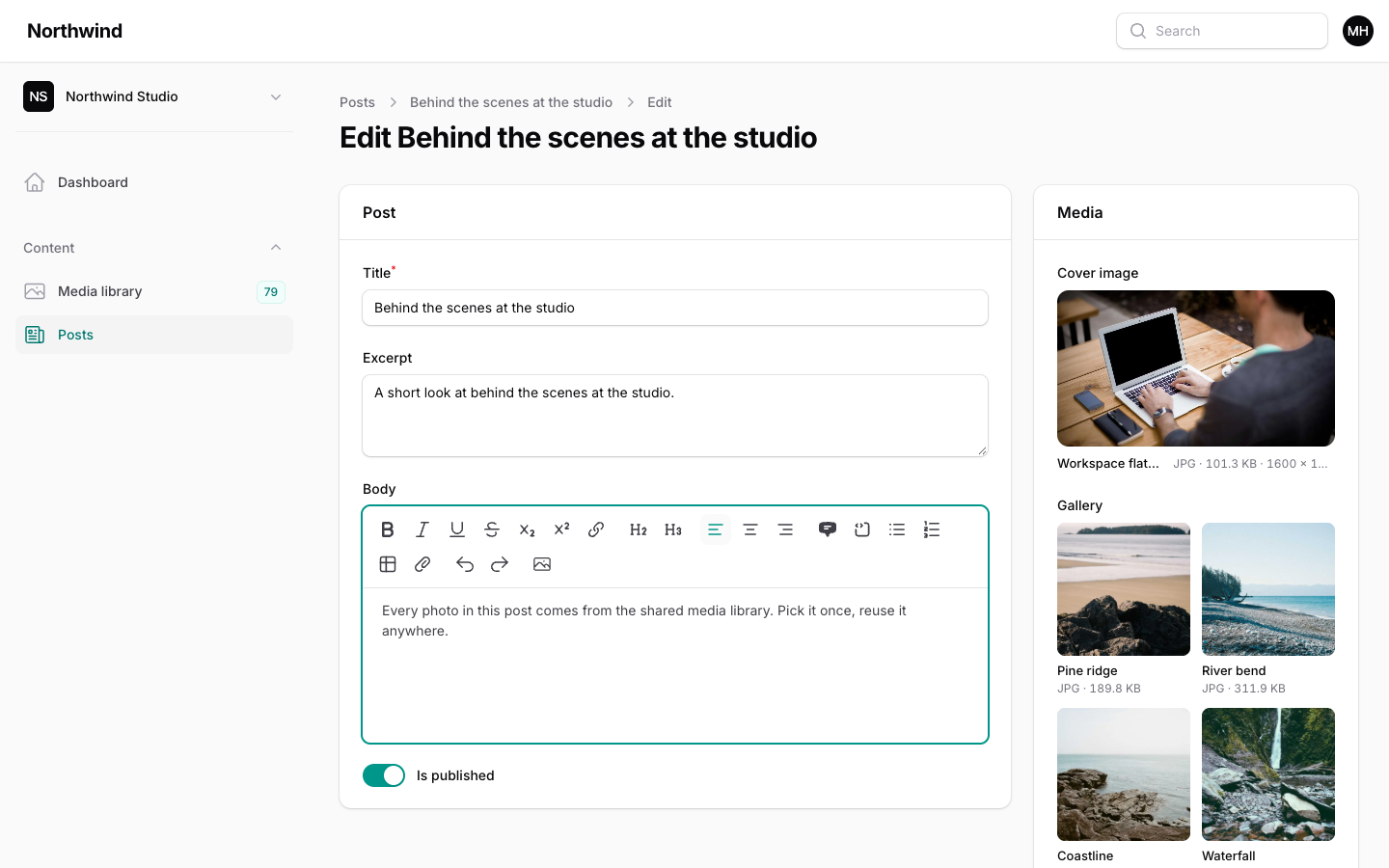
MediaLibraryRichContentPlugin adds an Insert from library button to Filament's RichEditor. It opens the library, and the images you choose are inserted into the content with their alt text.
php
use Filament\Forms\Components\RichEditor;
use Hoceineel\FilamentMediaLibrary\Filament\Forms\RichEditor\MediaLibraryRichContentPlugin;

RichEditor::make('body')
    ->plugins([
        MediaLibraryRichContentPlugin::make()->conversion('preview'),
    ]);
The plugin works with Filament 4 and 5. It needs no panel setup beyond the media library plugin itself.
How it works
- The toolbar shows a photo button labelled Insert from library.
- Pressing it opens a modal titled Insert images, with the picker already open and limited to images.
- Choosing files inserts them and closes the modal. You do not need to press Insert when you pick from the library.
- Images are inserted at the cursor, in the order you picked them, each with its alt text. If a file has no alt text, its name is used.
The modal uses the MediaPicker field with image(), reorderable(), openOnMount() and submitOnPick(). Drop, paste and upload work in it as they do anywhere else.
The button is added to the toolbar automatically. Remove it on one editor with Filament's own method:
php
RichEditor::make('body')
    ->plugins([MediaLibraryRichContentPlugin::make()])
    ->disableToolbarButtons(['mediaLibrary']);
Options
| Method | Default | Purpose |
|---|---|---|
conversion(string) | preview | Which image size to insert. Falls back to the original when the file has no such conversion. |
multiple(bool) | on | Allow several images in one go. Pass false to insert one at a time. |
folder(id, name or Closure) | none | Open the picker in this folder. A missing named folder is created if the user may create folders. |
php
MediaLibraryRichContentPlugin::make()
    ->conversion('preview')
    ->multiple(false)
    ->folder('Blog images');
What gets stored
The editor saves HTML, so the plugin inserts an ordinary image with a src and an alt. The src depends on where the file lives.
| File | Inserted URL |
|---|---|
On a disk whose visibility is public | The direct file URL. |
| On any other disk | A signed link to the plugin's serve route. It does not expire. |
| Marked Only me | Nothing. The file is skipped. |
Rich content is stored outside the library and read by anyone who can see the page, so it cannot use the short-lived links that private files get elsewhere. Non-expiring signed links are the compromise for files on a private disk. Files marked Only me are never given a permanent link, so they cannot be embedded. The serve route also refuses them.
Files the user cannot see, and files from another tenant, are never inserted either. The server checks this when the modal is submitted, not only in the picker.
WARNING
Embedded images are not tracked as usage. The library does not know a post uses the file, so it can be deleted. Deleting moves the file to the trash, and on a non-public disk the serve route stops serving trashed files. Keep important images out of the trash, or also attach them to the record with a picker field.
Two more things to know:
- The URL is written into your content when you insert the image. If you move to another disk or domain later, existing content keeps the old URL.
- Signed links depend on your
APP_KEY. Rotating the key invalidates links already stored in rich content on private disks.
Displaying the content
Render the saved HTML as you would for any rich editor. The images load from the stored URLs, so no extra Blade component is needed. To control sizes and focal points yourself, use <x-media-library-image> instead (see Models & Blade).