Appearance
Outside Panels
The picker, the full library and the display components also work on your own pages: a customer portal, a front-end editor or a plain HTML form. No Filament panel is needed.
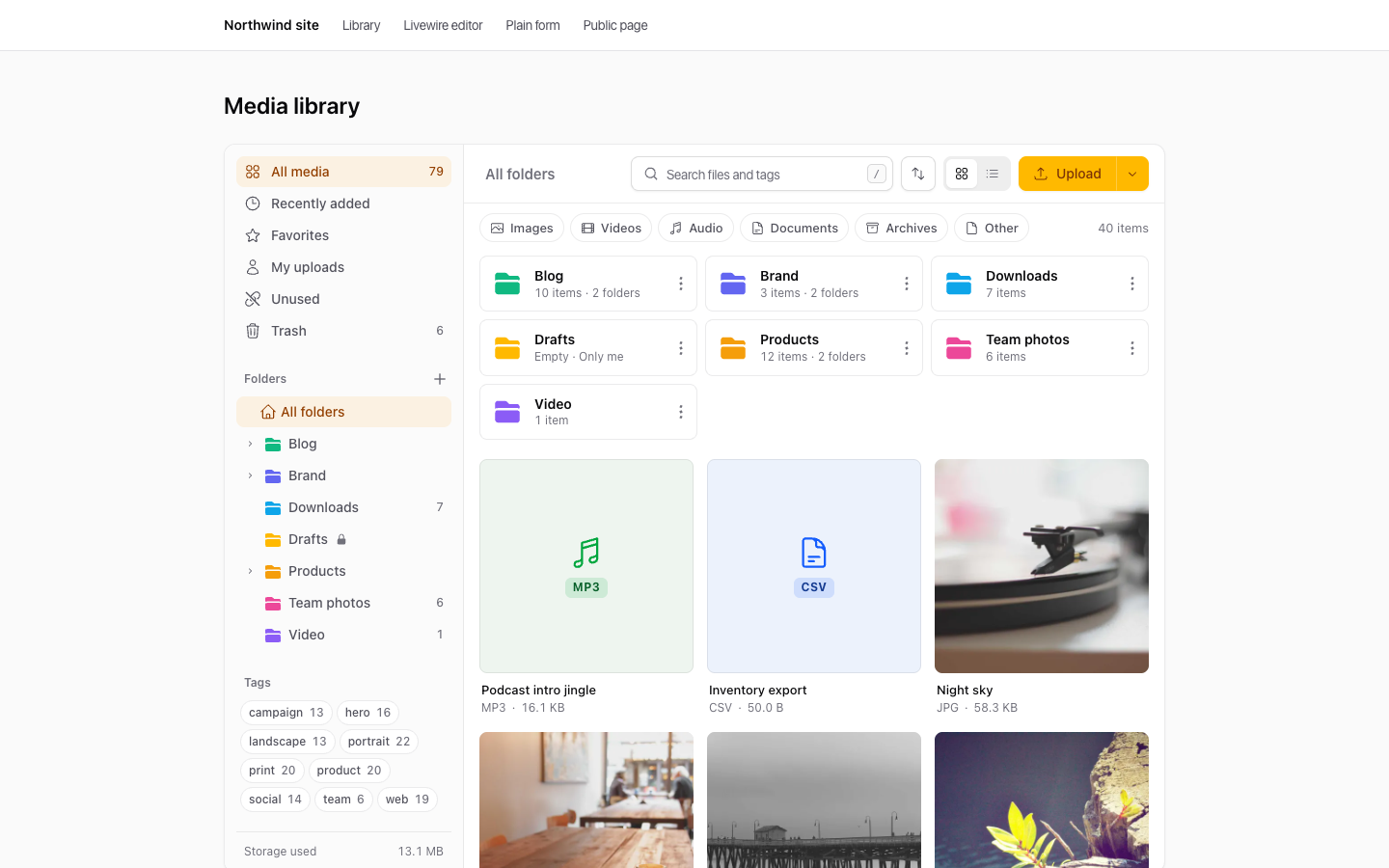
<livewire:media-library />.1. Turn it on
Standalone mode is off by default. Until you enable it, the components refuse to load outside a panel (they return a 403) and the upload routes return 404. In config/filament-media-library.php:
php
'standalone' => [
    'enabled' => true,
    'middleware' => ['web', 'auth'],
],
2. Check who can manage files
WARNING
Inside a panel, Filament's canAccessPanel() decides who gets in. Outside a panel, only your policy does. The bundled MediaItemPolicy lets every signed-in user browse and upload shared files. If customers can sign in to your site, register your own policy before you enable standalone mode.
php
use Hoceineel\FilamentMediaLibrary\Models\MediaItem;
use Hoceineel\FilamentMediaLibrary\Policies\MediaItemPolicy;
use Illuminate\Contracts\Auth\Authenticatable;
use Illuminate\Support\Facades\Gate;

class AppMediaPolicy extends MediaItemPolicy
{
    public function viewAny(Authenticatable $user): bool
    {
        return $user->is_staff;
    }

    public function create(Authenticatable $user): bool
    {
        return $user->is_staff;
    }
}

// AppServiceProvider::boot()
Gate::policy(MediaItem::class, AppMediaPolicy::class);
viewAny gates the library and the picker modal. create gates uploads. update, delete, restore and forceDelete defer to view, so override view too if you need to restrict those separately. See Authorization for every ability.
3. Load the assets
The page needs Filament's styles and scripts, as in Filament's own guide for using components outside panels. In resources/css/app.css:
css
@import 'tailwindcss';
@import '../../vendor/filament/support/resources/css/index.css';
@import '../../vendor/filament/actions/resources/css/index.css';
@import '../../vendor/filament/forms/resources/css/index.css';
@import '../../vendor/filament/infolists/resources/css/index.css';
@import '../../vendor/filament/notifications/resources/css/index.css';
@import '../../vendor/filament/schemas/resources/css/index.css';

@variant dark (&:where(.dark, .dark *));
In your layout:
blade
<head>
    <style>[x-cloak] { display: none !important; }</style>
    @filamentStyles
    @vite('resources/css/app.css')
</head>
<body>
    {{ $slot }}

    @livewire('notifications')
    @filamentScripts
</body>
The library's own CSS and JavaScript load on demand. After an update, run php artisan filament:assets again.
4. Pick files in a Livewire component
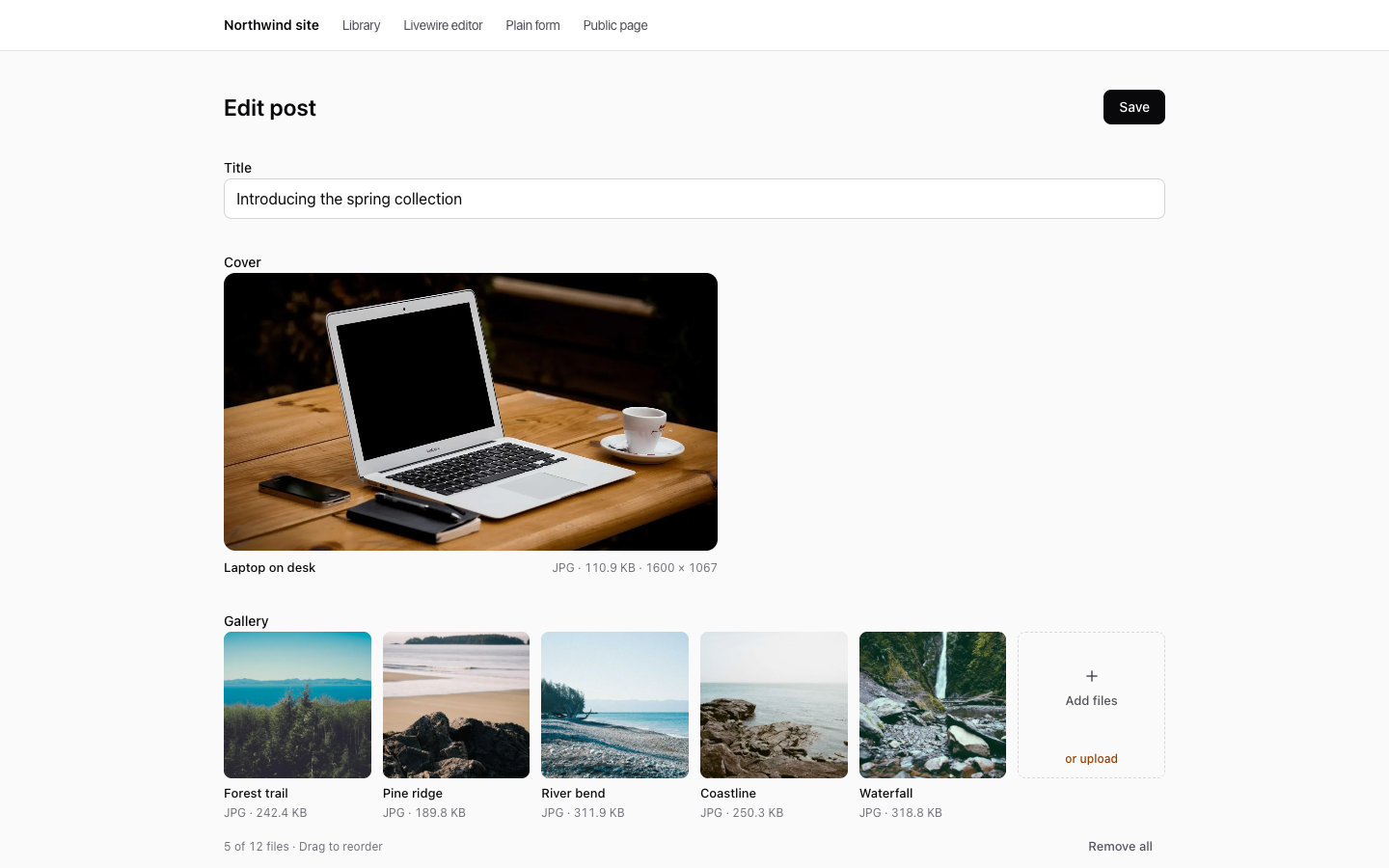
blade
<livewire:media-library-picker wire:model="coverId" image aspect-ratio="16:9" />
<livewire:media-library-picker wire:model="gallery" multiple image :max-items="12" />
<livewire:media-library-picker wire:model="downloads" multiple accept="application/pdf" folder="Downloads" />
php
use Hoceineel\FilamentMediaLibrary\Models\MediaItem;
use Hoceineel\FilamentMediaLibrary\Rules\MediaLibraryItems;
use Livewire\Component;

class EditPost extends Component
{
    public Post $post;

    public ?int $coverId = null;

    public array $gallery = [];

    public function mount(): void
    {
        $this->coverId = $this->post->cover_id;
        $this->gallery = $this->post->getMediaLibraryItems('gallery')->modelKeys();
    }

    public function save(): void
    {
        $this->validate([
            'coverId' => ['nullable', MediaLibraryItems::image()],
            'gallery' => ['array', 'max:12', MediaLibraryItems::image()],
        ]);

        $this->post->update(['cover_id' => $this->coverId]);
        $this->post->syncMediaLibraryItems($this->gallery, 'gallery');
    }

    public function render()
    {
        return view('livewire.edit-post');
    }
}
The picker has the same features as the form field: drop, paste and upload, chunked uploads, reorder, preview, and the full library in a modal.
| Attribute | Default | Meaning |
|---|---|---|
wire:model or value | null | Selected id, or a list of ids when multiple. An Eloquent collection works too. |
name | null | Renders hidden inputs, for a plain <form>. |
multiple | false | Allow several files. |
max-items | null | Limit for multiple. |
image | false | Shortcut for accept="image/*". |
accept | all types | Comma-separated MIME types. Wildcards work. |
folder | null | Folder id or name to open. A name is created when missing and the user may create folders. |
lock-folder | false | Keep the picker inside that folder. |
layout | auto | grid or list. A grid when only images are accepted. |
aspect-ratio | null | Frame for a single image, such as 16:9. |
conversion | thumb | Conversion used for previews. |
uploadable, previewable, reorderable, show-file-names | true | Switch off with :uploadable="false". |
disabled | false | Read-only. |
open-on-mount | false | Open the library as soon as the picker renders. |
button-label | "Browse library" | Text of the button that opens the library. |
These options are locked on the server, so a visitor cannot change them from the browser.
WARNING
Always validate submitted ids with MediaLibraryItems. It checks that each id exists, that the current user can see it, and that it has an accepted type. Without it, a visitor can submit any id.
5. Or in a plain HTML form
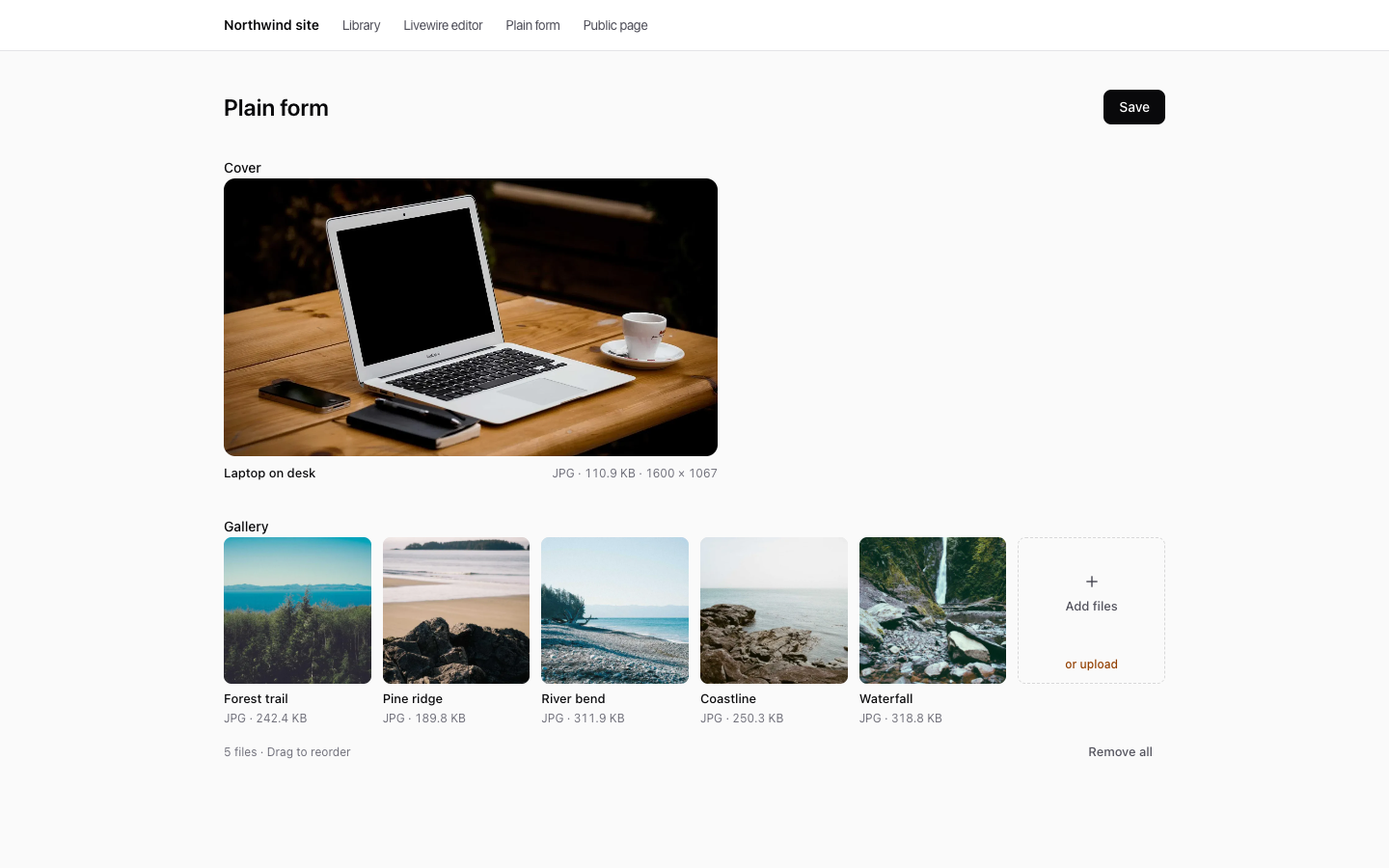
blade
<form method="POST" action="{{ route('posts.update', $post) }}">
    @csrf
    @method('PUT')
    <livewire:media-library-picker name="cover_id" :value="$post->cover_id" image />
    <livewire:media-library-picker name="gallery" :value="$post->getMediaLibraryItems('gallery')" multiple />
    <button>Save</button>
</form>
php
$data = $request->validate([
    'cover_id' => ['nullable', MediaLibraryItems::image()],
    'gallery' => ['nullable', 'array', MediaLibraryItems::image()],
]);
With name, the picker writes hidden inputs. A single picker posts cover_id, and a multiple picker posts gallery[]. An empty selection posts an empty value, so use nullable. After a failed validation, the picker restores the previous selection from old().
6. The full library on any page
blade
<livewire:media-library />It needs the viewAny ability, and the user can upload, organise and delete files according to your policy.
7. Show files
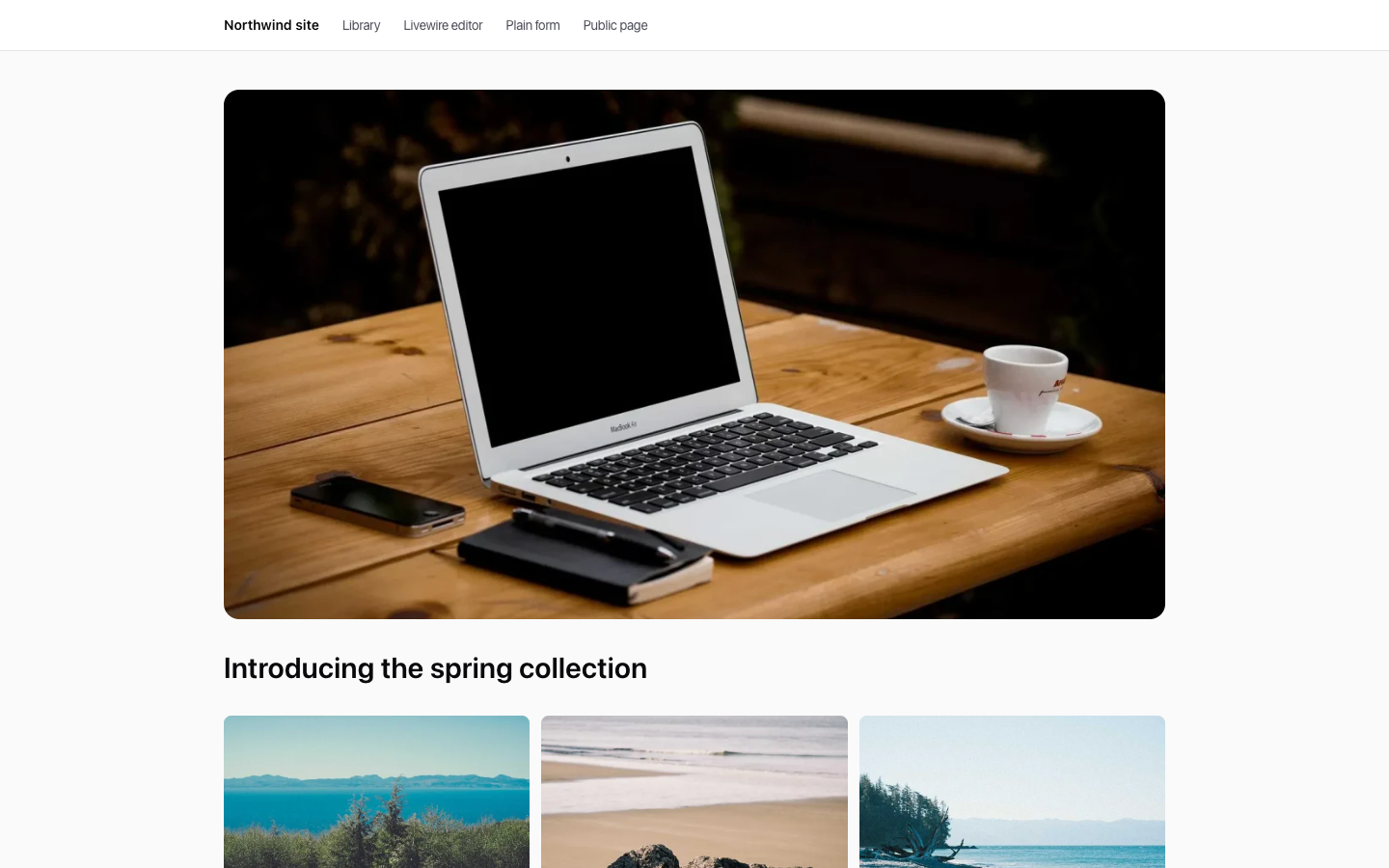
<x-media-library-gallery>.blade
<x-media-library-image :item="$post->cover_id" class="aspect-video w-full rounded-2xl object-cover" />
<x-media-library-gallery :record="$post" collection="gallery" :columns="3" aspect-ratio="4:3" />
<x-media-library-gallery :items="$post->gallery_ids" :lightbox="false" :captions="false" />
The display components need no sign-in and no standalone switch, because they only read files. The gallery lightbox still needs the Alpine that @filamentScripts loads. See Models & Blade for every attribute.
Routes and access
| Route | Purpose |
|---|---|
POST /media-library/upload | Chunked uploads. |
POST /media-library/upload/resolve | Answers the duplicate prompt. |
GET /media-library/download | Downloads one or more files. |
GET /media-library/serve/{media}/{conversion?} | Serves files from private disks. Signed links only. |
The first three use standalone.middleware (['web', 'auth'] by default), are throttled to 600 requests a minute, and exist only while standalone.enabled is on. The serve route is always available, but only answers valid signed links. Change the media-library prefix with route_prefix.
Inside a panel, the picker uses the panel's own routes and guard, whatever the standalone setting says.
What the plugin options do not cover
The plugin's fluent settings (features(), defaultLayout(), maxFileSize(), acceptedFileTypes(), duplicates(), canAccess() and the others) apply only to their panel. Outside panels, set the same options in config/filament-media-library.php: the features, browser and upload arrays. Gate access with policies, not canAccess().
Tenancy
A panel's tenant does not exist outside the panel. To scope front-end pages, turn tenancy on in the config and give it a resolver:
php
'tenancy' => [
    'enabled' => true,
    'resolver' => App\Support\CurrentTeamResolver::class,
    'strict' => true,
],
php
namespace App\Support;

use Hoceineel\FilamentMediaLibrary\Tenancy\TenantResolver;
use Illuminate\Database\Eloquent\Model;

class CurrentTeamResolver implements TenantResolver
{
    public function resolve(): ?Model
    {
        return auth()->user()?->currentTeam;
    }
}
The default resolver reads the Filament panel tenant, which is empty outside a panel. In strict mode that hides every file, so always set your own resolver. Panels with tenancy keep using their own tenant, whatever this config says. See Tenancy.